
Zero-Downtime Migration from NGINX Ingress to Gateway API on Amazon EKS (Production Case Study)
A Zero-Downtime, Step-by-Step Implementation Guide
1. Overview
In this post, we walk through a real production migration of a Kubernetes workload from NGINX Ingress Controller to Kubernetes Gateway API, implemented using Envoy Gateway, on Amazon EKS.
The key objective was to:
Migrate safely with zero downtime
Avoid introducing unnecessary cloud-specific complexity
Align the platform with Kubernetes’ future networking direction
This guide is written from a platform ownership perspective, not a lab or demo setup.
2. Problem Statement
The application was already running in production and exposed using NGINX Ingress Controller.
While the setup was stable, the following risks were identified:
The NGINX Ingress Controller project has moved toward reduced long-term maintenance focus, increasing uncertainty around future support guarantees.
No long-term guarantees for:
Security patches
CVE fixes
Compatibility with future Kubernetes versions
Ingress sits at the cluster edge, making it a high-blast-radius component
Although there was no immediate outage, continuing with an edge component under reduced maintenance posed long-term operational and security risks.
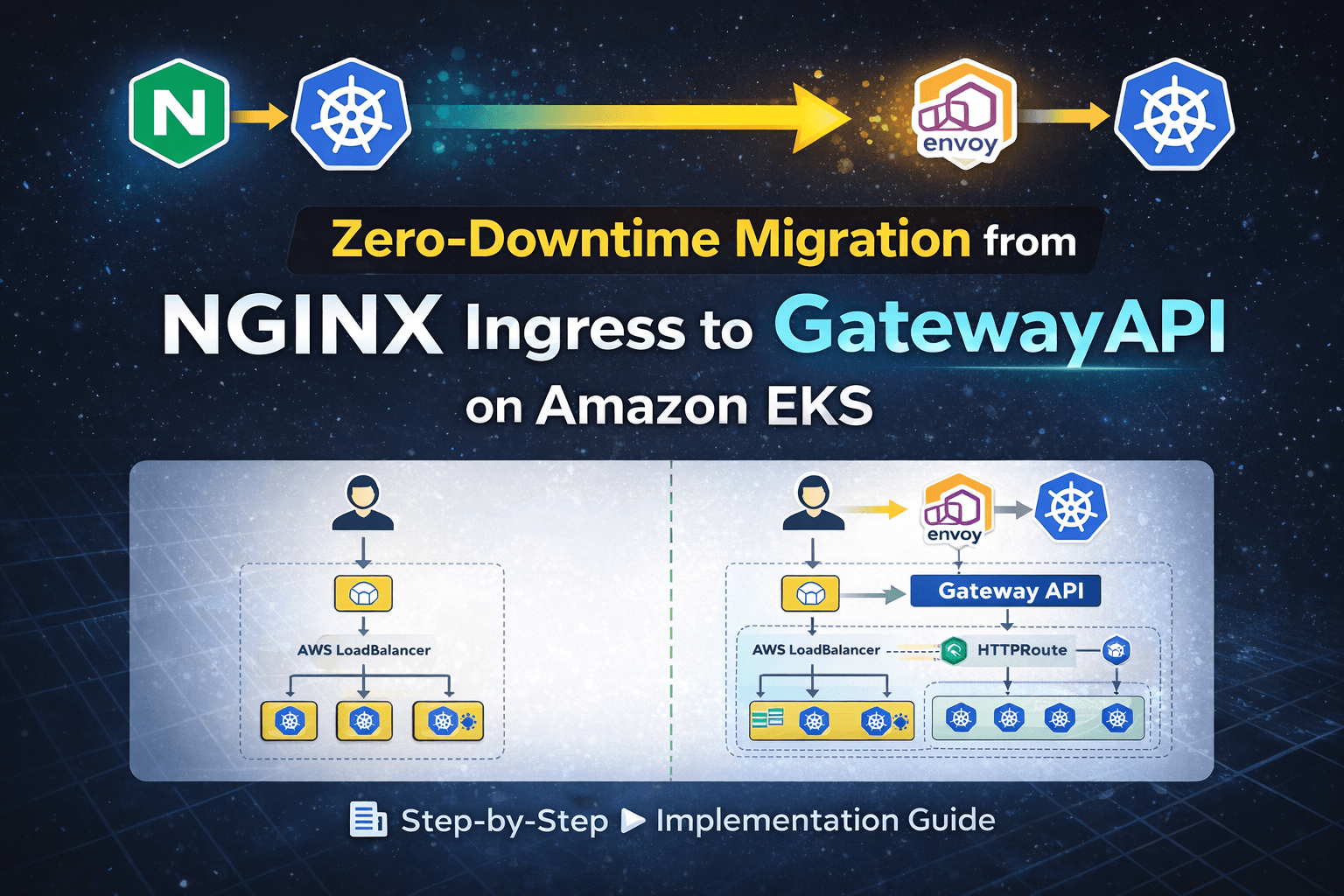
3. Existing Production Architecture (Before Migration)
User
  ↓
AWS LoadBalancer (auto-created by Service)
  ↓
NGINX Ingress Controller
  ↓
Application Service (ClusterIP)
  ↓
Application Pods
Characteristics of the existing setup
Stable and functional
Easy to operate
Tightly coupled to controller-specific annotations
Limited separation between platform and application ownership
4. Why Gateway API?
Kubernetes Gateway API is positioned as the successor to Ingress, designed to solve long-standing limitations.
Key improvements over Ingress
| Ingress | Gateway API |
| Single resource | Role-oriented resources |
| Annotation-driven | Spec-defined configuration |
| Weak ownership boundaries | Clear infra vs app separation |
| Controller-specific behavior | Standardized API |
Gateway API introduces:
GatewayClass – defines platform capability
Gateway – infrastructure-level entry point
HTTPRoute – application-level routing rules
This model is more scalable, auditable, and production-safe.
5. Why Envoy Gateway in This Case?
The cluster did not have AWS Load Balancer Controller installed.
Installing it mid-migration would have required:
IAM and IRSA setup
Additional operational complexity
Increased blast radius during a live migration
Instead, we chose Envoy Gateway, because it:
Is a first-class Gateway API implementation
Does not depend on AWS-specific controllers
Creates and manages its own dataplane
Is vendor-neutral and portable
Allows parallel validation with minimal risk
This decision was intentional, not a workaround.
I intentionally avoided introducing AWS Load Balancer Controller during migration to prevent IAM, IRSA, and cloud-controller changes from increasing the migration blast radius. The goal was to change one edge component at a time.
6. Migration Strategy (Zero Downtime)
A direct replacement was not acceptable.
Chosen strategy
NGINX Ingress LoadBalancer  → continues serving production traffic
Envoy Gateway LoadBalancer → used for validation
Traffic was cut over only after successful validation was completed.
The existing Ingress resource was left untouched to prevent configuration drift and unintended side effects during migration.
This ensured:
No user impact
Easy rollback
Controlled blast radius
7. Step-by-Step Implementation
Step 1: Application Deployment (Already in Place)
The application was deployed with:
Kubernetes
DeploymentServiceof typeClusterIP
No changes were required at the application level.
Step 2: NGINX Ingress (Existing Production Entry)
NGINX Ingress Controller was already installed and exposed the application via an AWS LoadBalancer.
This remained untouched during the migration.
Step 3: Install Gateway API CRDs
Gateway API resources must exist before any controller can operate.
kubectl apply -f https://github.com/kubernetes-sigs/gateway-api/releases/download/v1.0.0/standard-install.yaml
Step 4: Install Envoy Gateway
Envoy Gateway was installed using Helm via OCI registry.
helm install eg oci://docker.io/envoyproxy/gateway-helm \
  --version v1.7.0 \
  -n envoy-gateway-system \
  --create-namespace
The Envoy Gateway version was explicitly pinned to v1.7.0 after verifying compatibility with Gateway API v1.0.0 and the EKS cluster version.
Version pinning ensures deterministic deployments, reproducibility, and safe rollback capability in production environments.
Step 5: Create GatewayClass (Platform Ownership)
apiVersion: gateway.networking.k8s.io/v1
kind: GatewayClass
metadata:
  name: envoy
spec:
  controllerName: gateway.envoyproxy.io/gatewayclass-controller
This explicitly defined Envoy Gateway as the cluster’s Gateway API implementation.
Step 6: Create Gateway (Infrastructure Entry Point)
apiVersion: gateway.networking.k8s.io/v1
kind: Gateway
metadata:
  name: app-gateway
  namespace: default
spec:
  gatewayClassName: envoy
  listeners:
  - protocol: HTTP
    port: 80
This created a new AWS LoadBalancer, separate from the existing NGINX Ingress LB.
Step 7: Create HTTPRoute (Application Routing)
apiVersion: gateway.networking.k8s.io/v1
kind: HTTPRoute
metadata:
  name: app
  namespace: default
spec:
  parentRefs:
  - name: app-gateway
  rules:
  - matches:
    - path:
        type: PathPrefix
        value: /
    backendRefs:
    - name: app
      port: 8088
This replaced the Ingress routing logic using Gateway API primitives.
8. Validation
At this stage:
NGINX LB → Production users
Gateway LB → Validation traffic
Validation was performed at multiple levels:
Application Layer
Verified HTTP 200 responses using curl
Tested authentication flows
Executed critical user workflows
Confirmed session persistence behavior
Infrastructure Layer
Checked LoadBalancer health check status
Verified readiness and liveness probes
Monitored pod logs for errors or unexpected restarts
Confirmed correct backend service port mapping
Reviewed Envoy Gateway metrics and controller logs to ensure no reconciliation errors or route attachment failures were present.
Traffic & Stability
Compared response latency between both entry points
Monitored 4xx and 5xx error rates
Verified no increase in backend CPU or memory usage
Only after all validation checkpoints passed was production cutover approved.
9. Cost Considerations During Migration
Running NGINX Ingress and Envoy Gateway in parallel resulted in two active AWS LoadBalancers during the validation window, temporarily increasing infrastructure cost.
However:
The overlap period was intentionally short.
The additional cost was justified to eliminate downtime risk.
The parallel approach reduced blast radius during migration.
Cost was intentionally traded for reliability and controlled risk.
10. Cutover and Cleanup
After all validation checks passed:
kubectl delete ingress app-ingress
Traffic shift was verified immediately after deletion by validating active connections on the Gateway LoadBalancer and confirming healthy backend responses.
The legacy NGINX Ingress was removed only after confirming stable traffic flow through the Gateway LoadBalancer.
Rollback plan:
Re-apply the Ingress resource if needed
Restore DNS if traffic switch involved domain update
The migration was reversible during the validation window.
Optionally, after a stability window:
helm uninstall ingress-nginx -n ingress-nginx
The Gateway API entry point became the sole production path.
11. Final Architecture (After Migration)
User
  ↓
AWS LoadBalancer
  ↓
Envoy Gateway (Gateway API)
  ↓
Application Service
  ↓
Application Pods
12. Key Learnings
Gateway without HTTPRoute does nothing — infrastructure and routing are intentionally separated
Gateway API enforces clearer ownership boundaries than Ingress
Parallel migration is the safest approach for production workloads
Envoy Gateway is an effective bridge when cloud-native controllers are not yet in place
13. When Would AWS Load Balancer Controller Be Used?
In a later phase, once the platform is stable on the Gateway API.
Typical evolution:
NGINX Ingress
→ Envoy Gateway (Gateway API adoption)
→ AWS Load Balancer Controller (cloud-native optimization)
14. Failure Scenarios Considered
The following risks were evaluated before migration:
Gateway created without HTTPRoute (no traffic routing)
Incorrect backend service port reference
Namespace mismatch between Gateway and HTTPRoute
LoadBalancer health check failures
Controller crash or misconfiguration
Gateway API CRD and controller version mismatch
DNS TTL delays during traffic switch
By running both entry points in parallel, these risks were isolated and mitigated.
15. Final Takeaway
I designed and executed a zero-downtime migration from NGINX Ingress to Gateway API by running both entry points in parallel.
I validated routing behavior, health checks, infrastructure readiness, and traffic stability before shifting production traffic.
This approach reduced blast radius, preserved service availability, and aligned the platform with Kubernetes’ evolving networking model.