
How to Set Up Disaster Recovery (DR) for AWS MSK with MirrorMaker 2 – Step-by-Step Guide
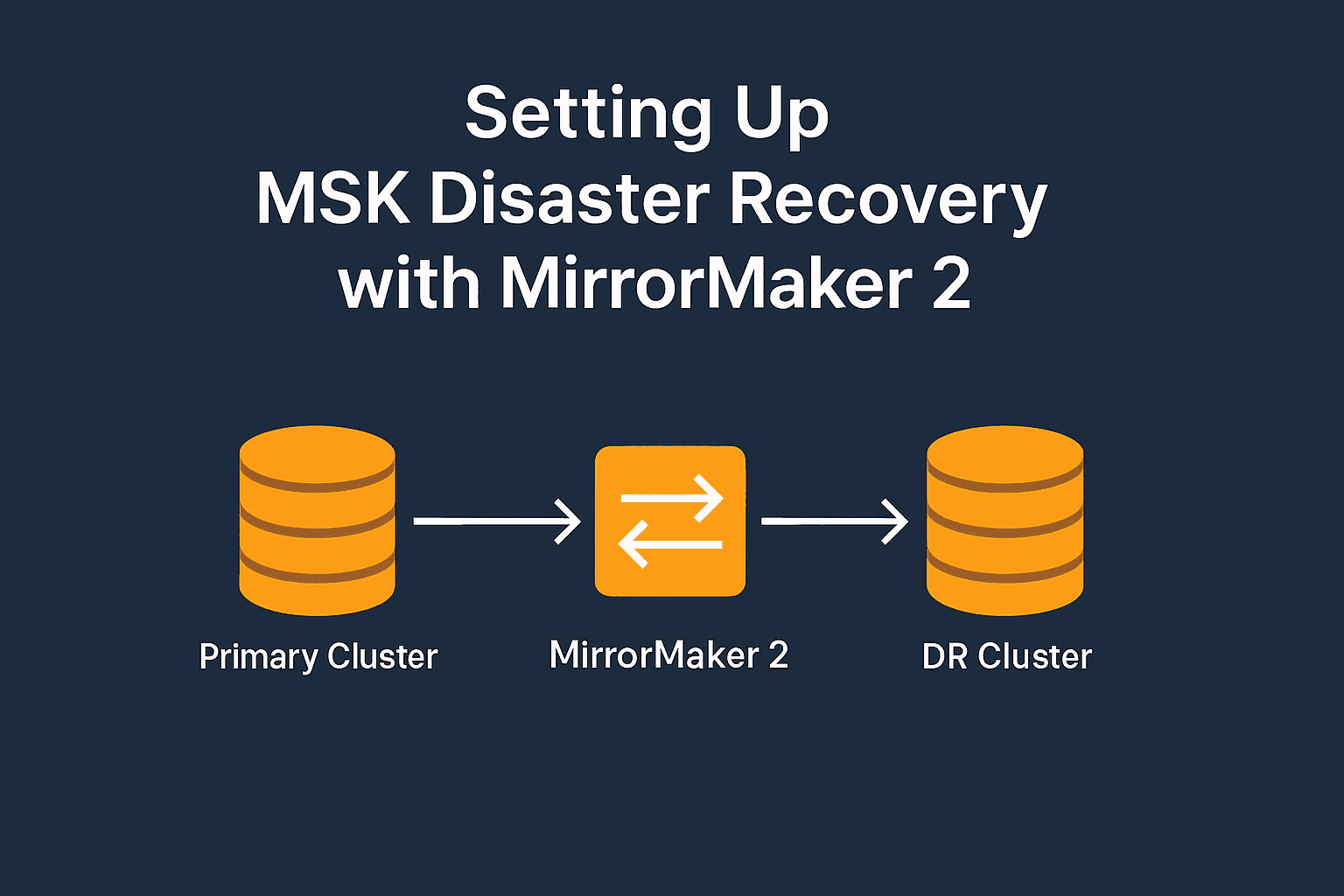
In today's cloud-native world, ensuring high availability and resilience for streaming platforms like Apache Kafka is mission-critical. Amazon MSK (Managed Streaming for Apache Kafka) offers a powerful, fully managed Kafka service. However, it doesn't natively provide cross-region disaster recovery (DR). In this guide, you’ll learn how to configure cross-region DR for AWS MSK using Apache Kafka MirrorMaker 2 (MM2) — a robust, open-source replication tool.
This comprehensive walkthrough includes prerequisites, cluster setup, networking, and end-to-end validation to help you build a production-ready DR solution.
🔍 What is AWS MSK?
AWS MSK (Managed Streaming for Apache Kafka) is a fully managed service that simplifies running Apache Kafka on AWS. It eliminates the operational overhead of provisioning servers, configuring clusters, and managing availability.
Key features of AWS MSK:
Fully managed Apache Kafka
Secure by default with VPC, TLS, and IAM integration
Scalable with automatic broker scaling and storage expansion
Native support for monitoring via CloudWatch and logging integrations
🔄 What is MirrorMaker 2?
MirrorMaker 2 (MM2) is the enhanced replication utility introduced in Apache Kafka 2.4+. It’s designed for copying data between Kafka clusters and is built on Kafka Connect, providing modularity, scalability, and fault tolerance.
Key capabilities:
Real-time replication of topics and consumer offsets
Support for multiple clusters
Active-passive and active-active configurations
Flexible replication policies and error handling
💡 Available Methods for Kafka DR – Why MirrorMaker 2?
Several options exist for disaster recovery in Kafka:
| Method | Real-Time | Offset Sync | Cost | Complexity | Description |
| MirrorMaker 2 (MM2) | ✅ | ✅ | Low–Med | Medium | Open-source Kafka-native tool ideal for AWS MSK with IAM support. |
| Confluent Replicator | ✅ | ✅ | High | High | Commercial-grade tool with advanced features. |
| Custom Producers/Consumers | ✅ | ❌ | Medium | High | Build-your-own with full control. |
| Kafka Streams or Flink | ✅ | ❌ | High | High | Stream processing with built-in replication logic. |
| S3 Backup & Restore | ❌ | ❌ | Low | Low | Periodic export-import, cold DR only. |
Why we chose MirrorMaker 2 for this guide:
Seamless integration with AWS MSK and IAM authentication
No additional licensing or external dependencies
Good balance of simplicity, performance, and reliability
🧰 Prerequisites
To follow this tutorial, ensure you have:
An AWS account with permissions for MSK, EC2, IAM, and VPC
AWS CLI installed and configured
Java 11+ installed on the EC2 instance
Kafka client tools (Apache Kafka binaries)
Two VPCs in different regions (e.g.,
ap-south-1andus-east-1)AWS MSK IAM Authentication JAR:
aws-msk-iam-auth.jar
🏗️ Step 1: Create Primary and DR MSK Clusters
🔹 Create Primary Cluster (ap-south-1)
Go to Amazon MSK > Create Cluster
Select Custom create
Cluster name:
msk-primaryKafka version:
3.0+Brokers:
kafka.m5.large, 3 brokers, 1000 GiB EBS eachNetwork: Select VPC and 3 subnets
Enable:
Encryption at rest (KMS)
TLS in-transit encryption
IAM authentication
Assign a security group to allow port 9198 from EC2

🔹 Create DR Cluster (us-east-1)
Repeat the above steps in the us-east-1 region, using the cluster name msk-dr. Ensure consistent configuration across clusters.

🔐 Step 2: Configure Network and Security
Update security group rules:
MSK SG: Allow inbound TCP 9198 from EC2 SG or IP
EC2 SG: Allow outbound 9198 to both MSK clusters
Enable SSH (port 22) on EC2 for management access

💻 Step 3: Launch EC2 with Kafka Client
🚀 Launch EC2
Region:
ap-south-1Type:
t3.mediumor higherAttach IAM role for MSK and Secrets Manager (if needed)
Ensure internet access (NAT or public IP)
🛠️ Install Tools and Configure
sudo yum update -y
sudo yum install -y java-11-amazon-corretto
wget https://downloads.apache.org/kafka/3.3.1/kafka_2.13-3.3.1.tgz
tar -xzf kafka_2.13-3.3.1.tgz
export KAFKA_HOME=$(pwd)/kafka_2.13-3.3.1

wget https://github.com/aws/aws-msk-iam-auth/releases/latest/download/aws-msk-iam-auth.jar
export IAM_JAR=$(pwd)/aws-msk-iam-auth.jar


✍️ Create client.properties
security.protocol=SASL_SSL
sasl.mechanism=AWS_MSK_IAM
sasl.jaas.config=software.amazon.msk.auth.iam.IAMLoginModule required;
sasl.client.callback.handler.class=software.amazon.msk.auth.iam.IAMClientCallbackHandler

ssl.truststore.location=/home/ec2-user/msk-certs/truststore.jks
ssl.truststore.password=anjali
☝️ Make sure the truststore includes AWS MSK’s CA certificate.

🧵 Step 4: Create Kafka Topic on Primary Cluster
CLASSPATH=$IAM_JAR:$KAFKA_HOME/libs/* $KAFKA_HOME/bin/kafka-topics.sh \
  --create \
  --topic test-topic \
  --partitions 3 \
  --replication-factor 3 \
  --bootstrap-server <primary-broker-list> \
  --command-config /home/ec2-user/msk-certs/client.properties
Replace <primary-broker-list> with your actual MSK bootstrap brokers.

⚙️ Step 5: Configure and Run MirrorMaker 2
✍️ Create mm2.properties
clusters = primary,dr

primary.bootstrap.servers=<primary-brokers>
primary.security.protocol=SASL_SSL
primary.sasl.mechanism=AWS_MSK_IAM
primary.sasl.jaas.config=software.amazon.msk.auth.iam.IAMLoginModule required;
primary.ssl.truststore.location=/home/ec2-user/msk-certs/kafka.client.truststore.jks
primary.ssl.truststore.password=anjali

dr.bootstrap.servers=<dr-brokers>
dr.security.protocol=SASL_SSL
dr.sasl.mechanism=AWS_MSK_IAM
dr.sasl.jaas.config=software.amazon.msk.auth.iam.IAMLoginModule required;
dr.ssl.truststore.location=/home/ec2-user/msk-certs/kafka.client.truststore.jks
dr.ssl.truststore.password=anjali

tasks.max=2
topics=test-topic
groups=.*
replication.policy.class=org.apache.kafka.connect.mirror.DefaultReplicationPolicy

▶️ Run MM2
CLASSPATH=$IAM_JAR:$KAFKA_HOME/libs/*:$KAFKA_HOME/libs/connect-runtime-*.jar:$KAFKA_HOME/libs/connect-api-*.jar \
  $KAFKA_HOME/bin/connect-mirror-maker.sh /home/ec2-user/mm2.properties
✅ Step 6: Validate Replication
🔎 List Topics on DR
CLASSPATH=$IAM_JAR:$KAFKA_HOME/libs/* $KAFKA_HOME/bin/kafka-topics.sh \
  --list \
  --bootstrap-server <dr-broker> \
  --command-config /home/ec2-user/msk-certs/client.properties

📥 Consume Messages from DR
CLASSPATH=$IAM_JAR:$KAFKA_HOME/libs/* $KAFKA_HOME/bin/kafka-console-consumer.sh \
  --topic mm2-test-topic \
  --from-beginning \
  --bootstrap-server <dr-broker> \
  --consumer.config /home/ec2-user/msk-certs/client.properties
✍️ Step 7: Test Message Flow
📨 Produce to Primary
CLASSPATH=$IAM_JAR:$KAFKA_HOME/libs/* $KAFKA_HOME/bin/kafka-console-producer.sh \
  --topic test-topic \
  --bootstrap-server <primary-broker> \
  --producer.config /home/ec2-user/msk-certs/client.properties

Type some messages and hit Enter.
✅ Confirm on DR
Re-run the consumer from the DR cluster to verify real-time replication.

💬 Have you implemented DR for Kafka in your architecture?
Drop your approach or challenges in the comments — I'd love to hear how others tackle cross-region resilience!
🔔 Follow me for more AWS infrastructure and streaming data posts!