
Automatically Stop Amazon RDS Instances Daily Using AWS Lambda and EventBridge
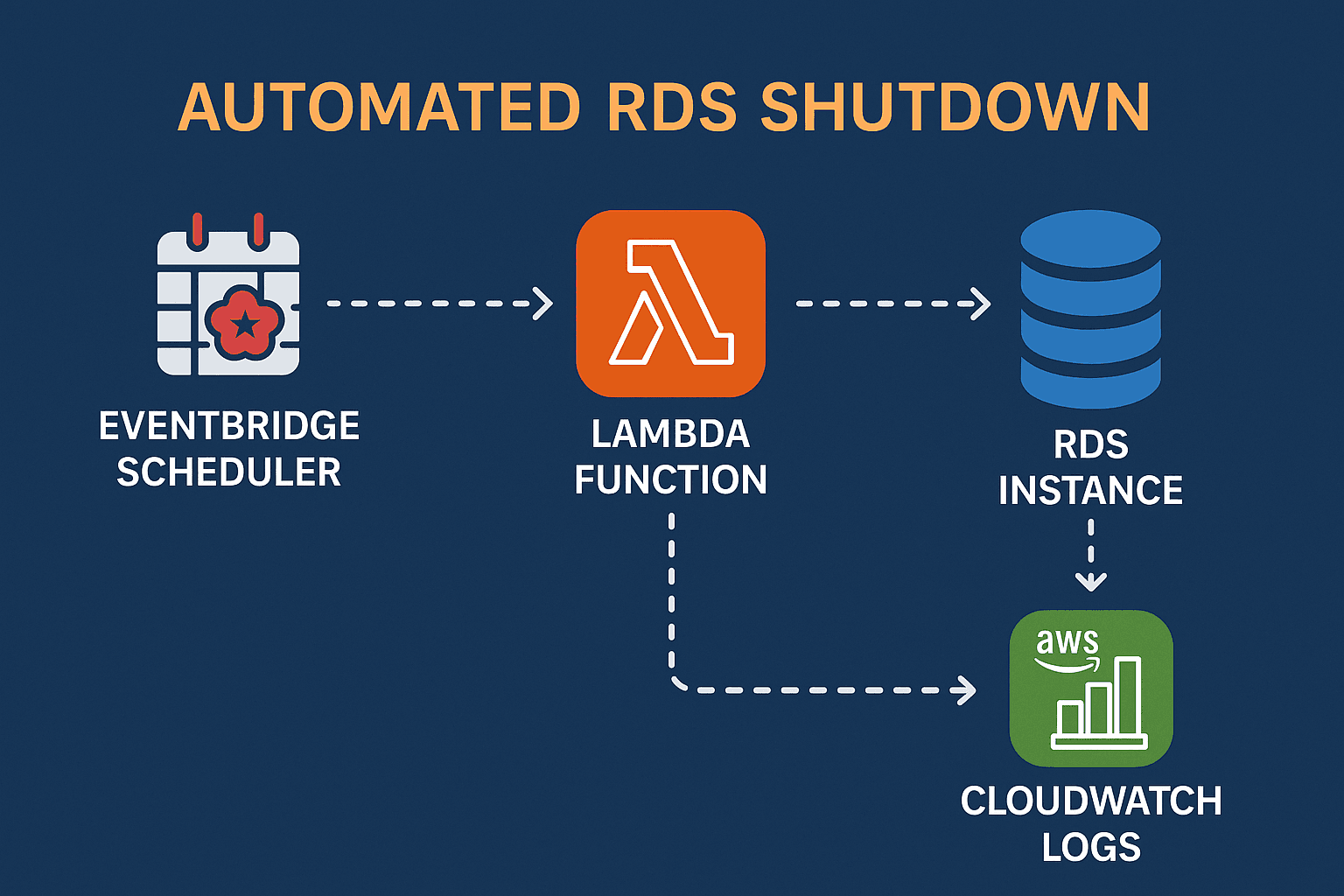
Managing AWS costs efficiently is crucial, especially when dealing with development, testing, or QA environments. A common and effective approach is to stop RDS instances during off-hours automatically. In this guide, you’ll learn how to set up an automated daily RDS shutdown using AWS Lambda, EventBridge Scheduler, and IAM roles.
Solution Overview
🧱 Components Used:
AWS Lambda (Python): A serverless function that stops RDS instances.
Amazon EventBridge Scheduler: Triggers the Lambda function once per day.
IAM Role: Grants permissions for the Lambda to stop RDS instances.

⚙️ How It Works:
EventBridge Scheduler triggers the Lambda function every day.
Lambda function iterates over a list of RDS instances and attempts to stop each one.
All execution logs are stored in Amazon CloudWatch Logs for auditing and debugging.
Step-by-Step Setup Guide
1️⃣ . Create the Lambda Function
Go to the AWS Lambda Console.
Click “Create function” → Select Author from scratch.
Function Name:
stop-rds-lambda-functionRuntime: Choose Python 3.13 or above.
Permissions: Attach an IAM role with the following permissions:
rds:StopDBInstancerds:DescribeDBInstanceslogs:CreateLogGrouplogs:CreateLogStreamlogs:PutLogEvents

Add Lambda Code
Paste the following code in the function editor:
import boto3
import logging

rds = boto3.client('rds')
logger = logging.getLogger()
logger.setLevel(logging.INFO)

DB_INSTANCES = ['testing-db-us-east-1-demo']  # Add your DB instance identifiers here

def lambda_handler(event, context):
    stopped_instances = []
    failed_instances = []

    for db_id in DB_INSTANCES:
        try:
            logger.info(f"Attempting to stop DB instance: {db_id}")
            response = rds.stop_db_instance(DBInstanceIdentifier=db_id)
            logger.info(f"Stop initiated for: {db_id}")
            stopped_instances.append(db_id)
        except Exception as e:
            logger.error(f"Failed to stop {db_id}: {str(e)}")
            failed_instances.append({'db_id': db_id, 'error': str(e)})

    return {
        'statusCode': 200,
        'stopped_instances': stopped_instances,
        'failed_instances': failed_instances
    }

3️⃣ . Create EventBridge Schedule
Navigate to Amazon EventBridge → Scheduler.
Click Create schedule.
Schedule type: Choose Rate-based schedule.
Set Rate: Every 1 day.
Target:
Choose a Lambda function.
Select the Lambda function you created (
stop-rds-lambda-function).
Leave input blank.
Click Next → Create schedule.

✅ Testing the Lambda
Go to your Lambda function.
Click Test to run it manually.
Check the Amazon RDS Console to verify if the specified instances are now stopped.
Review CloudWatch Logs for detailed output and error handling.
📌 Summary
By using AWS Lambda with EventBridge Scheduler, you can automate daily shutdowns of RDS instances, reducing unnecessary costs without manual intervention. This is especially helpful for non-production environments.