
Migrating from Amazon Linux 2 to Amazon Linux 2023
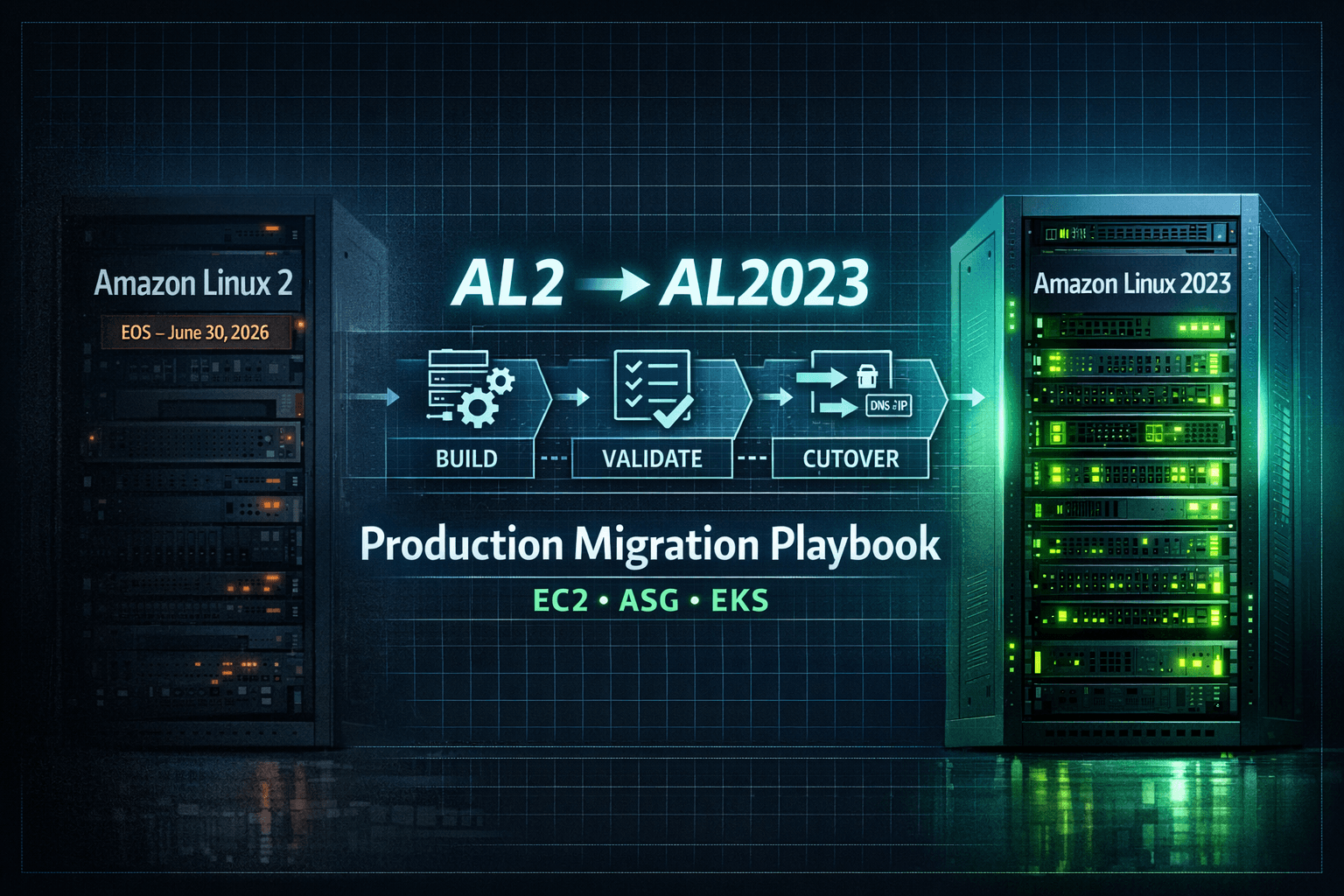
A Practical Production Playbook (200 Instance Scenario)
Amazon Linux 2 (AL2) will reach end-of-support on June 30, 2026. After that date, AWS will no longer provide security updates, patches, or new packages.
Although AL2 continues to receive maintenance updates today, it is no longer the forward-looking platform. Amazon Linux 2023 (AL2023) is the long-term replacement, offering a predictable 5-year lifecycle per release (2 years standard + 3 years maintenance) along with modernized system components.
If you are running production workloads on AL2, migration should be planned early — not rushed near 2026.
This article explains how to safely migrate in a large production environment with:
Standalone EC2 instances
Auto Scaling Groups (ASG)
Amazon EKS worker nodes
Assume a worst-case environment of 200 AL2 instances.
Why In-Place Upgrade Is Not Recommended
There is no supported in-place upgrade path from AL2 to AL2023.
AL2023 introduces:
Updated kernel
Newer system libraries
Updated OpenSSL and crypto policies
cgroup v2 by default
Updated container runtime stack
Attempting in-place OS mutation:
Is unsupported
Is difficult to test
Has no clean rollback
Is unsafe for Kubernetes worker nodes
The correct production pattern is:
Build new → Validate → Controlled cutover → Preserve rollback → Decommission old
Example Production Layout (200 Instances)
| Workload Type | Count |
| Standalone EC2 (stateful) | 40 |
| Auto Scaling Groups (stateless) | 120 |
| EKS worker nodes | 40 |
| Total | 200 |
Each workload type requires a different strategy.
1. Standalone EC2 (Stateful Systems)
Typical Examples
Databases
Legacy applications
EC2 instances using Elastic IP
Applications dependent on local storage
Step 1 – Create a Safety Checkpoint
Before any migration:
Create EBS snapshots
Confirm snapshot completion
This is your rollback baseline.
Step 2 – Launch Parallel AL2023 Instance
Create a new EC2 instance with:
Same VPC and subnet
Same security groups
Same IAM role
Same instance type
Do not modify the AL2 instance.
Step 3 – Validate Dependency Compatibility
Test explicitly:
Runtime versions (Java, Python, Node)
OpenSSL behavior
Crypto policy differences
Systemd services
Hardcoded paths in custom scripts
Small OS-level changes can break production services.
Step 4 – Controlled Data Migration
Initial sync while application is running
Stop or freeze writes
Final sync with checksum validation
Example:
rsync -avh --checksum --numeric-ids /data/ new-server:/data/
For database systems, prefer logical dump/restore over raw filesystem copy to avoid corruption risk.
Step 5 – Validate Before Cutover
Start the application on AL2023 and verify:
Application logs
Health endpoints
Downstream connectivity
Resource utilization
Only after validation:
Stop service on AL2
Switch Elastic IP or DNS
Keep AL2 intact until full confidence.
2. Auto Scaling Groups (Stateless Systems)
Typical Examples
Web servers
APIs
Microservices
The main risk is pushing a broken AMI to the entire fleet.
Step 1 – Build an AL2023 Golden AMI
Include:
Monitoring agents
Security agents
Logging agents
Application bootstrap scripts
Test full userdata execution.
Simulate instance termination to confirm auto-recovery.
Step 2 – Create New Launch Template Version
Update only:
- AMI ID
Keep AL2 template available for rollback.
Step 3 – Canary Deployment
Increase desired capacity by 1.
Validate:
Load balancer health checks
Application startup
Logs and error rate
Metrics stability
Do not skip canary testing.
Step 4 – Controlled Instance Refresh
Use safe rollout configuration:
Configure minimum healthy percentage appropriate for fleet size (e.g., 90–100% for large fleets).
Warm-up time configured
ELB health checks enabled
Monitor closely during rollout.
If instability occurs:
Cancel refresh
Revert launch template
3. Amazon EKS Worker Nodes (Highest Blast Radius)
AL2023 introduces changes that can affect Kubernetes workloads:
cgroup v2
Updated kernel
Updated container runtime
This can impact:
DaemonSets
Monitoring agents
Security tooling
CNI plugins
Safe EKS Migration Flow
Step 1 – Add AL2023 Node Group
Create a new managed node group (or Karpenter pool).
Do not modify AL2 nodes yet.
Step 2 – Taint AL2 Nodes
kubectl taint node <al2-node> os=al2:NoSchedule
Effect:
No new pods schedule on AL2
Existing pods continue running
Step 3 – Validate Scheduling on AL2023
Scale workloads or deploy new services.
Confirm:
Pods schedule on AL2023
Networking functions correctly
Metrics and logs flow normally
Step 4 – Validate Cluster Add-ons and DaemonSets
Check:
VPC CNI
CoreDNS
kube-proxy
Logging agents
Monitoring agents
Security tools
Ensure cluster add-ons (VPC CNI, CoreDNS, kube-proxy) versions are compatible with AL2023 node AMIs before rollout.
Also verify PodDisruptionBudgets:
kubectl get pdb -A
Ignoring PDBs can cause draining failures or partial outages.
Step 5 – Drain AL2 Nodes
kubectl drain <node> --ignore-daemonsets
Observe workload behavior during drain.
Step 6 – Delete AL2 Node Group
Delete only after full stability confirmation.
Rollback is possible only until deletion.
Common Production Mistakes
Attempting in-place OS upgrades
Skipping canary validation
Ignoring bootstrap script testing
Draining EKS nodes prematurely
Not snapshotting stateful systems
Removing rollback resources too early
Executive Summary
Amazon Linux 2 reaches end-of-support on June 30, 2026. Migration to Amazon Linux 2023 should follow immutable infrastructure principles. For stateful EC2, use parallel instances with validated data sync and controlled DNS cutover. For Auto Scaling Groups, roll out a new AMI using canary and guarded instance refresh. For EKS, introduce AL2023 nodes, prevent new scheduling on AL2, validate workloads and cluster add-ons, then drain and remove AL2 nodes after stability is confirmed. Maintain rollback until the final step.
Final Takeaway
This migration is not about replacing servers.
It is about maintaining production stability while upgrading the platform.
Plan early.
Validate carefully.
Preserve rollback.
Decommission only after confidence.